Kurz gesagt: Dieses XPath-Spickzettel behandelt die Syntax, Prädikate, Achsen und Funktionen, die du für das Web-Scraping tatsächlich benötigst, sowie eine Übersetzungstabelle von CSS zu XPath und lauffähige Beispiele für Puppeteer und Scrapy. Nutze es als Nachschlagewerk, wenn das nächste Mal ein CSS-Selektor auf einer Website, auf die du angewiesen bist, plötzlich nicht mehr funktioniert.
Einleitung
Du bist hierhergekommen, weil ein Selektor nicht mehr funktioniert, sich ein Layout geändert hat oder jemand aus deinem Team dir gesagt hat, du sollst „einfach XPath verwenden“, und du möchtest es auf einer Seite haben. Verständlich. Dieses XPath-Spickzettel ist genau für diesen Moment gedacht: für einen Scraper-Entwickler mitten im Projekt, der Syntax, Beispiele und ein paar Regeln zur Ausfallsicherheit benötigt, ohne sich durch ein Tutorial scrollen zu müssen.
XPath, kurz für XML Path Language, ist eine Abfragesprache, die pfadartige Ausdrücke verwendet, um XML- und XML-ähnliche Dokumente, einschließlich HTML, zu durchsuchen. Im Scraping-Kontext bietet das etwas, was CSS-Selektoren nicht können: die Möglichkeit, den Baum hinaufzugehen, nach sichtbarem Text abzugleichen und Bedingungen wie in einer kleinen Prädikatenlogik zu verketten. Wir behandeln die Kernsyntax, Prädikate, Achsen, die nützlichsten Funktionen, browserbasierte Tests, eine CSS-zu-XPath-Übersetzungstabelle sowie zwei kurze Anwendungsbeispiele in Puppeteer und Scrapy, die Sie noch heute in ein Projekt einbinden können. Am Ende sollten Sie in der Lage sein, ein HTML-Fragment zu lesen, einen Selektor zu schreiben, der kleine DOM-Änderungen übersteht, und diesen vor der Veröffentlichung zu überprüfen.
Was XPath ist und warum es für das Web-Scraping wichtig ist
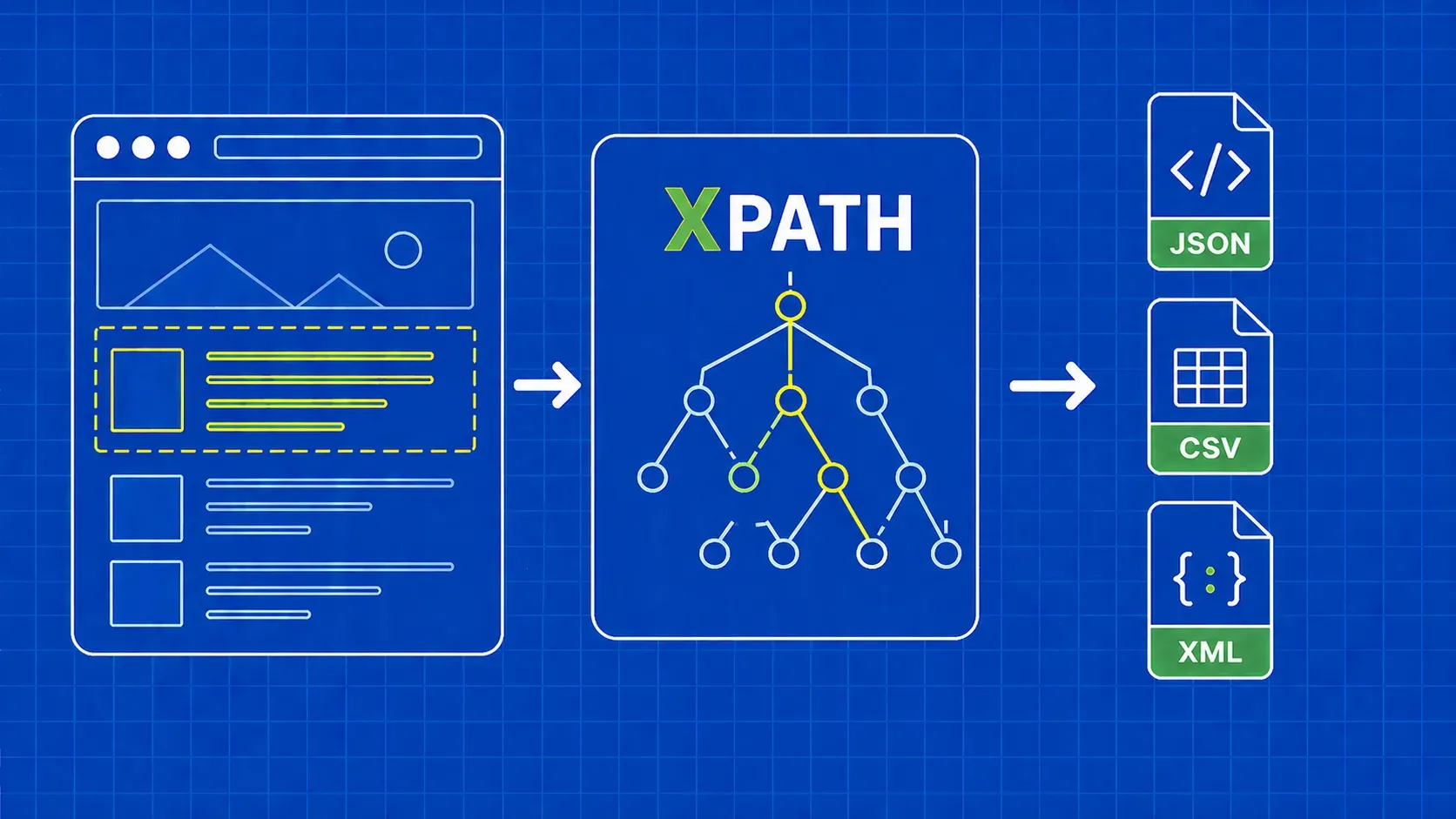
XPath ist die XML Path Language: eine Abfragesyntax, die den Dokumentbaum mithilfe von pfadartigen Ausdrücken durchläuft, um Knoten zu identifizieren. Browser stellen das HTML-DOM als XML-ähnlichen Baum dar, weshalb XPath für das Web-Scraping funktioniert, obwohl HTML kein striktes XML ist. Es ist ein Kernelement des XSLT-Standards und taucht in XML-Tools und den meisten Scraping-Stacks auf.
Warum also greifen Scraper-Entwickler darauf zurück? Aus drei Gründen. Erstens kann sich XPath sowohl im Baum nach oben als auch nach unten bewegen, während CSS-Selektoren nur nach unten und seitwärts gehen. Zweitens kann es Knoten anhand ihres sichtbaren Textes abgleichen, was von unschätzbarem Wert ist, wenn Klassen zufällig vergeben werden, die Beschriftungen jedoch stabil sind. Drittens ermöglicht es Ihnen, Bedingungen in einem einzigen Ausdruck zu verketten. Dieses XPath-Spickzettel deckt alle Grundelemente ab, die Sie benötigen, um diese Fähigkeiten in der Produktion zu nutzen.
Wie XPath eine Seite betrachtet: Pfade, Knoten und Schritte
Ein XPath-Ausdruck ist ein Pfad, der aus Schritten besteht. Jeder Schritt hat eine Achse (in welche Richtung gesucht wird), einen Knotentest (welche Art von Knoten abgeglichen werden soll) und null oder mehr Prädikate (Filter in eckigen Klammern). Meistens ist die Achse implizit, da child:: die Standardeinstellung ist, weshalb Kurzformen wie //div/span funktionieren.
Nehmen wir //div[@class='quote']/span[1]. Das // ist eine Kurzform für die descendant-or-self:: Achse, daher lautet dies: Finde eine beliebige div , dessen class Attribut gleich quote, und nimm dann das erste span Kind. Es gibt drei Knotentypen, die für dich von Bedeutung sind: Elementknoten (div, span), Attributknoten (@class, @href) und Textknoten, auf die über text(). Prädikate verwenden eine 1-basierte Indizierung, daher [1] ist die erste Übereinstimmung, nicht die zweite.
Testen Sie XPath-Ausdrücke live in Ihrem Browser
Bevor Sie auch nur eine Zeile Scraper-Code schreiben, sollten Sie sicherstellen, dass der Ausdruck im Browser funktioniert. Zwei Arbeitsabläufe decken die Testebene des Spickzettels ab.
Strg+F (Cmd+F) im Element-Panel. Öffnen Sie die DevTools in Chrome oder Firefox, klicken Sie auf die Registerkarte „Elemente“ und drücken Sie dann Strg+F oder Cmd+F. Die Suchleiste akzeptiert CSS-Selektoren und XPath-Ausdrücke, und die Seite hebt jede Übereinstimmung im DOM-Baum zusammen mit einer Anzahl wie „3 von 12“ hervor. Dies ist der schnellste Weg, um die Selektivität zu testen.
Der $x() Konsolen-Helper. Wechseln Sie zur Registerkarte „Konsole“ und führen Sie $x("//div[@class='quote']"). Der Helfer gibt Treffer als JavaScript-Array zurück, sodass Sie mit $x("//a/@href").length. Laut aktueller Herstellerdokumentation $x() wird mit Chromium-basierten DevTools und Firefox DevTools ausgeliefert, du solltest dies jedoch in deiner Zielbrowser-Version überprüfen. Wie es in einem technischen Bericht heißt, ist dies „eine hervorragende Übung, um deine Ausdrücke zu testen, bevor du Zeit in deinem Code-Editor verbringst, und ohne den Server der Website zu belasten“.
Für eine tiefergehende Einführung in die Sprache selbst ist die MDN-XPath-Dokumentation der zuverlässigste Ausgangspunkt.
XPath vs. CSS-Selektoren: Ein Rahmen für schnelle Entscheidungen
CSS-Selektoren sind in der Regel kürzer und leichter zu lesen, weshalb viele Entwickler CSS als Standard betrachten und nur dann auf XPath zurückgreifen, wenn CSS die Abfrage nicht ausdrücken kann. Diese Sichtweise ist eine Meinung, kein Maßstab, spiegelt aber wider, wie sich die meisten Produktions-Codebasen entwickeln. Die ehrliche Regel lautet: Wählen Sie den einfachsten Selektor, der eine kleine DOM-Änderung übersteht.
Verwenden Sie diese Tabelle als Entscheidungshilfe für unsere Diskussion über XPath- vs. CSS-Selektoren:
|
Situation |
Wählen |
|---|---|
|
Stabile |
CSS |
|
Muss zu einem übergeordneten Element oder Vorfahren navigieren |
XPath |
|
Abgleich anhand des sichtbaren Textinhalts |
XPath |
|
|
Alternativ: CSS ist kürzer |
|
Mehrere Bedingungen für ein Element |
XPath (Prädikatkette) |
|
Schneller Einzeiler für eine bekannte Struktur |
CSS |
|
Tief verschachtelte oder unregelmäßige Markups |
XPath |
CSS-Selektoren haben keine parent:: Richtung und können nicht nach Text filtern, daher fällt jedes Muster vom Typ „Klicke auf die Zeile, die ‚Active‘ enthält“ natürlich in den Bereich von XPath.
XPath-Spickzettel: Grundlagen der Syntax
Dies sind die Bausteine, auf denen alle anderen Abschnitte dieses XPath-Spickzettels aufbauen. Ein XPath-Ausdruck besteht mindestens aus einem Tag-Namen, optional einem Attribut und optional einem Wert für dieses Attribut. Prädikate und Funktionen werden darüber geschichtet.
|
Symbol |
Bedeutung |
Beispiel |
Liest sich wie |
|---|---|---|---|
|
|
Aus dem Stammknoten auswählen |
|
Der |
|
|
Kurzform für „Nachkomme oder selbst“ |
|
Jedes |
|
|
Aktueller Knoten |
|
Ein |
|
|
Elternteil des aktuellen Knotens |
|
Das übergeordnete Element eines beliebigen |
|
|
Attributselektor |
|
Das |
|
|
beliebigen Elementknotens |
|
Jedes Element-Kind eines beliebigen |
|
|
Tags, gefiltert nach Attributgleichheit |
|
Jedes |
|
`expr1 \ |
expr2` |
Vereinigung zweier Ausdrücke |
`//h1 \ |
//h2` |
Alle |
Ein nützliches mentales Modell: / verankert dich an einem Ort, der Tag-Name benennt den Schritt, das Prädikat filtert den Schritt. Die robusteste XPath-Syntax in echten Scrapern ist eine Kette von Attributprädikaten, die durch /, nicht ein positioneller Pfad von der Wurzel.
Prädikate: Filtern nach Index, Attribut und Bedingung
Prädikate sind die in Klammern gesetzten Bedingungen, die einen generischen Schritt in einen präzisen verwandeln. Sie können verkettet werden und werden von links nach rechts ausgewertet. Denken Sie daran, dass XPath-Prädikate 1-basiert sind, also //li[3] der dritte li, nicht der vierte.
Häufig verwendete Muster, die Sie wiederverwenden werden:
|
Prädikat |
Was es bewirkt |
|---|---|
|
|
Das n-te übereinstimmende Element. |
|
|
Die letzte Übereinstimmung. |
|
|
Die ersten drei Übereinstimmungen. |
|
|
Exakte Attributübereinstimmung. |
|
|
Teilzeichenfolgenübereinstimmung bei einem Attribut. |
|
|
Präfixübereinstimmung bei einem Attribut. |
|
|
Negieren eines beliebigen Prädikats. |
|
|
Mehrere Bedingungen für ein Element. |
Sie können Prädikate verketten: //div[@class='quote'][position()<=5] gibt die ersten fünf Zitate aus. Für einen tieferen Einblick in die themenbezogene Entscheidung zwischen Prädikatkettungen und CSS-Pseudoklassen lesen Sie unseren Begleitartikel zu XPath vs. CSS-Selektoren.
Achsen: Abwärts, aufwärts und quer durch das DOM
Hier hat XPath gegenüber CSS die Nase vorn. Eine Achse gibt an, in welche Richtung vom Kontextknoten aus gewandert werden soll, und die explizite axis::node-test Form ermöglicht Bewegungen, die mit CSS nicht möglich sind. Diese Seite des XPath-Spickzettels behandelt XPath-Achsen als einen eigenen Abschnitt, mit einem Scraping-Beispiel pro Zeile.
|
Achse |
Was sie zurückgibt |
Beispiel für das Auslesen |
|---|---|---|
|
|
Direkte Nachkommen (die Standardachse) |
|
|
|
Alle Nachkommen |
|
|
|
Die |
|
|
|
Der unmittelbare übergeordnete |
|
|
|
Jeder Vorfahr bis zur Wurzel |
|
|
|
Das Gleiche plus der Knoten selbst |
Praktisch, wenn die Übereinstimmung der Wrapper oder ein Kind sein kann. |
|
|
Geschwister nach diesem Knoten |
|
|
|
Geschwister vor diesem Knoten |
|
|
|
Attribute des Knotens ( |
|
|
|
Der aktuelle Knoten |
Verwendung in Prädikaten: |
Die beiden, die Sie ständig verwenden werden, sind ancestor:: und following-sibling::. following:: und preceding:: Es gibt auch Achsen, diese werden jedoch selten benötigt.
Platzhalter und Knotentests
Platzhalter lockern die Knotentests in einem Schritt auf, was nützlich ist, wenn sich die Tags unterscheiden, die Struktur jedoch gleich bleibt.
|
Token |
Übereinstimmungen |
|---|---|
|
|
Beliebiger Elementknoten. |
|
|
beliebigen Attributknotens. |
|
|
beliebigen Knoten auf, einschließlich Text und Kommentare. |
|
|
Nur Textknoten. |
|
|
HTML-Kommentare, gelegentlich nützlich für markergesteuertes Scraping. |
Der wesentliche Unterschied: //div/* überspringt Text und Kommentare, während //div/node() sie einbezieht. Verwenden Sie text() , wenn Sie gezielt Zeichenfolgen benötigen.
Unverzichtbare XPath-Funktionen für das Scraping
Mit Funktionen innerhalb von Prädikaten bewältigen Sie unübersichtlichen HTML-Code aus der Praxis: überflüssige Leerzeichen, dynamische Klassennamen, Groß-/Kleinschreibung und Zählungen. Diese XPath-Funktionen decken etwa 95 % aller Scraping-Fälle ab.
Zeichenfolgenfunktionen
|
Funktion |
Beispiel |
Anwendungsfall |
|---|---|---|
|
|
|
Dynamische oder zusammengesetzte Klassennamen abgleichen. |
|
|
|
Interne Produktlinks filtern. |
|
|
|
Nur XPath 2.0. Verwenden Sie in XPath 1.0 |
|
|
|
Entfernen Sie vor dem Vergleichen von Text umgebende Leerzeichen. |
|
|
|
Groß-/Kleinschreibung ignorieren für eine groß-/kleinschreibungsunabhängige Übereinstimmung. |
|
|
|
Extrahieren Sie einen Ausschnitt eines Attributwerts. |
Numerische und Knotenfunktionen
|
Funktion |
Beispiel |
Anwendungsfall |
|---|---|---|
|
|
|
Anzahl der Zeilen auf einer Ergebnisseite. |
|
|
|
Wähle Knoten mit geradem Index aus. |
|
|
|
Das letzte Element, unabhängig von der Länge. |
|
|
|
Dynamisch nach Tags filtern. |
|
|
|
Deaktivierte Eingaben überspringen. |
Bei Ausgaben, die nur Attribute enthalten, stellt ein Aufruf im Funktionsstil wie string(@href) stellt sicher, dass Sie den Wert als Zeichenkette erhalten und nicht den Attributknoten, was bei einigen Scrapern wichtig ist, wenn eine Verkettung mit einem Regex- oder Trim-Schritt erfolgt.
Schnellübersetzungstabelle von CSS zu XPath
Wenn Ihr Team in CSS denkt, weil Sie von BeautifulSoup oder Cheerio kommen, ist diese Tabelle eine schnelle Migrationshilfe. Die entsprechenden XPath-Spickzettel sind nicht immer kürzer, aber immer aussagekräftiger.
|
CSS |
XPath |
|---|---|
|
|
|
|
|
|
|
|
|
|
|
|
|
|
|
|
|
|
|
|
|
|
|
|
|
|
|
|
|
|
|
|
|
|
|
|
|
|
|
Das concat(' ',normalize-space(@class),' ') Muster sieht zwar hässlich aus, ist aber der sicherste Weg, um die Semantik von CSS-Klassen in XPath nachzuahmen, da XPath 1.0 keinen nativen Operator für „Token in einer durch Leerzeichen getrennten Liste“ hat. Eine nach CSS-Funktionen geordnete Vergleichsübersicht finden Sie in unserem CSS-Selektoren-Spickzettel.
Praxisbeispiel: Daten extrahieren mit Puppeteer und Scrapy
Um zu zeigen, dass derselbe Ausdruck über verschiedene Stacks hinweg funktioniert, finden Sie hier zwei kurze Scraper, die quotes.toscrape.com und jedes Zitat sowie dessen Autor abrufen. Wir haben in DevTools bestätigt, dass //div[@class='quote'] zum Zeitpunkt des Verfassens dieses Artikels etwa zehn Zitate auf der Startseite findet, was mit der gerenderten Seite übereinstimmt.
Puppeteer (Node.js). Initialisieren Sie das Projekt mit npm init -y und npm install puppeteer, fügen Sie dann dies in index.js. Beachten Sie, dass neuere Puppeteer-Versionen auf Locator-APIs umgestellt wurden; überprüfen Sie daher page.$x die Version in Ihrem package.json.
import puppeteer from 'puppeteer';

const browser = await puppeteer.launch();
const page = await browser.newPage();
await page.goto('https://quotes.toscrape.com/');

const rows = await page.$x("//div[@class='quote']");
const out = [];
for (const row of rows) {
  const text = await row.$eval("span[@class='text']", el => el.textContent);
  const author = await row.$eval("small[@class='author']", el => el.textContent);
  out.push({ text, author });
}
console.log(out);
await browser.close();
Scrapy (Python). Innerhalb eines Spiders response.xpath akzeptiert dieselben Ausdrücke und stellt .get() sowie .getall() für die Extraktion einzelner und mehrerer Werte.
def parse(self, response):
    for q in response.xpath("//div[@class='quote']"):
        yield {
            "text": q.xpath(".//span[@class='text']/text()").get(),
            "author": q.xpath(".//small[@class='author']/text()").get(),
        }
Laut Berichten aus der Community unterstützen Cheerio und Beautiful Soup XPath nicht direkt, daher ist Scrapy oder lxml die übliche Python-Kombination und Puppeteer oder Playwright die JavaScript-Kombination. Überprüfen Sie dies anhand Ihrer installierten Versionen, bevor Sie sich für eine der beiden entscheiden. Für eine vollständige Projektdurchführung behandeln unsere Scrapy- und Puppeteer-Anleitungen die Einrichtung, die Zeitplanung und die Proxy-Konfiguration.
Tipps zum Schreiben robuster XPath-Ausdrücke in Produktions-Scrapern
Fünf Regeln schließen das Spickzettel ab, die wir auf die harte Tour von Spidern gelernt haben, die um 3 Uhr morgens abstürzten:
- Vermeiden Sie absolute Pfade, die mit
/html/body/.... Sie brechen bei der ersten Layoutänderung, die ein Designer veröffentlicht. - Bevorzugen Sie Attributprädikate gegenüber Positionsindizes, wann immer ein stabiles
classoderdata-*Attribut verfügbar ist. - Schließen Sie Textvergleiche in
normalize-space(), damit führende und nachfolgende Leerzeichen Gleichheitsprüfungen nicht unbemerkt unterbrechen können. - Verwenden Sie
contains()für dynamische Klassennamen undor, um bekannte Varianten zu behandeln://a[contains(@class,'btn-primary') or contains(@class,'btn-cta')]. - Halten Sie Selektoren beschreibend.
//div[@class='quote']/span[@class='text']hält mehr Neugestaltungen stand als//span.
Wichtige Erkenntnisse
- XPath ist CSS überlegen, wenn Sie den Baum nach oben durchlaufen, nach sichtbarem Text suchen oder mehrere Bedingungen in einem einzigen Selektor verketten müssen.
- Die Kernsyntax ist überschaubar:
/,//,.,..,@, Prädikate und der Vereinigungsoperator decken die meisten Ausdrücke in diesem XPath-Spickzettel ab. - Achsen sind das Feature, das den Wechsel von CSS am meisten rechtfertigt, und
ancestor::,following-sibling::, undpreceding-sibling::sind die drei, auf die du am häufigsten zurückgreifen wirst. - Überprüfen Sie jeden Ausdruck in DevTools mit Strg+F oder
$x(), bevor Sie ihn in einen Scraper einbinden. Das ist schneller als die Neubereitstellung eines fehlerhaften Spiders. - Produktionssichere XPath-Ausdrücke stützen sich auf Attribute,
contains(), undnormalize-space()und hält sich von fest codierten Positionspfaden fern.
FAQ
Funktioniert XPath in Selenium, Puppeteer, Playwright und Scrapy auf die gleiche Weise?
Meistens ja, mit zwei Einschränkungen. Alle vier Engines akzeptieren XPath 1.0-Ausdrücke und geben passende Knoten zurück, aber die Wrapper-Methoden unterscheiden sich: Selenium verwendet find_element(By.XPATH, ...), Scrapy verwendet response.xpath(...), Playwright verwendet page.locator("xpath=..."), und Puppeteer verwendete früher page.$x() , obwohl neuere Versionen Locator-APIs bevorzugen. Überprüfen Sie Ihre Bibliotheksversion, bevor Sie Code aus älteren Tutorials kopieren und einfügen.
Warum funktioniert mein XPath in Chrome DevTools, gibt aber in meinem Python-Skript nichts zurück?
Fast immer liegt es daran, dass die Seite Inhalte mit JavaScript rendert und Ihr Skript den rohen HTML-Code abgerufen hat, sodass die vom Browser angezeigten Knoten in der Antwort nicht vorhanden sind. Überprüfen Sie dies, indem Sie die Seitenquelle über Ctrl+U anstatt über die Registerkarte „Gerenderte Elemente“. Die Lösung besteht darin, einen Headless-Browser wie Playwright zu verwenden oder einen dokumentierten JSON-Endpunkt aufzurufen, den die Seite aufruft.
Wie schreibe ich eine XPath-Abfrage für Text oder Attribute, bei der Groß- und Kleinschreibung nicht berücksichtigt wird?
XPath 1.0 verfügt über keine lower-case() Funktion, daher wird als gängige Abhilfe translate() , um Zeichen zu falten: //a[translate(text(),'ABCDEFGHIJKLMNOPQRSTUVWXYZ','abcdefghijklmnopqrstuvwxyz')='shop']. Wenn Ihre Engine XPath 2.0 oder 3.1 unterstützt, lower-case() und die matches() regex-Funktion sind wesentlich eleganter. Testen Sie immer zuerst beide Verzweigungen im Browser.
Wie kann ich ein Element scrapen, dessen Klassenname sich bei jedem Laden der Seite ändert?
Verankern Sie sich an etwas Stabilem: einem Attribut wie data-id oder aria-label, ein untergeordnetes Element mit festem Tag und Text oder ein übergeordnetes Orientierungspunkt. Wenn nur ein Teil der Klasse stabil ist, contains(@class,'product-card') funktioniert. Wenn sogar das dynamisch ist, gehe zu einem stabilen Vorfahren und wieder zurück: //section[@aria-label='Results']//article[1] ist zuverlässiger als jeder klassenbasierte Selektor.
Wie wähle ich ein Element basierend auf dem Text eines seiner untergeordneten Elemente aus?
Verwenden Sie ein Prädikat, das nach dem Text von Nachkommen filtert. Zum Beispiel //tr[td[normalize-space()='Active']] gibt Tabellenzeilen zurück, die eine Zelle enthalten, deren gekürzter Text gleich Active. Wenn du statt der Zeile die passende Zelle benötigst, verweise direkt auf sie: //td[normalize-space()='Active']. Das Umschließen von Vergleichen mit normalize-space() macht die Übereinstimmung robust gegenüber Leerzeichen.
Fazit
Bei einem guten XPath-Spickzettel geht es weniger um exotische Syntax als vielmehr um ein kleines, wiederverwendbares Toolkit, das Sie unter Termindruck anwenden können. Durchlaufen Sie den Baum mit Achsen, wenn CSS keine Möglichkeiten mehr bietet, verankern Sie sich an Attributen und sichtbarem Text statt an Positionspfaden und überprüfen Sie jeden Ausdruck in DevTools, bevor er in einem Scraper landet. Wenn Sie diese Seite während des Schreibens von Selektoren in der nächsten Woche geöffnet lassen, werden sich die Muster einprägen.
XPath löst das Parsing-Problem, aber nicht das Abrufproblem. Echte Scraping-Projekte verbringen den Großteil ihrer Zeit damit, gegen Ratenbeschränkungen, Fingerprinting und Diskrepanzen zwischen gerendertem und rohem HTML anzukämpfen – genau dafür haben wir die WebScrapingAPI entwickelt. Richte unsere Scraper-API auf eine beliebige URL, erhalte sauberes HTML zurück und parse es mit denselben XPath-Ausdrücken, die du in DevTools getestet hast. Auf diese Weise musst du die Selektoren nur noch auf der Parser-Seite optimieren – genau dort, wo es hingehört.